

If you’re thinking about adding battery storage to your home, one of the biggest names in the game is Tesla. And if you’ve been doing your research, you’ve likely come across two main options: the Tesla Powerwall 2 and the newly released Tesla Powerwall 3. So what’s the difference? And more importantly, which one should you go with?
The Shift from AC to DC Coupling
The most important upgrade from Powerwall 2 to Powerwall 3 is the switch from AC-coupled to DC-coupled.
Powerwall 2 was AC-coupled, which meant it had to be paired with a separate inverter system like SolarEdge or Enphase. It worked by converting DC power from solar panels into AC, then back to DC for battery storage, and again back to AC for home use. That extra conversion step meant slight losses in efficiency.
Powerwall 3, on the other hand, is DC-coupled and includes its own built-in solar inverter. That means the solar panels feed directly into the battery without needing that extra external inverter. Power is stored more efficiently, and the system is more streamlined and easier to install. This alone has made the Powerwall 3 a top pick for homeowners looking for better integration and performance.
Built-in Inverter with Flexible MPPT Inputs
The integrated inverter on Powerwall 3 is no joke. It comes with up to six MPPT inputs, which allows you to connect multiple strings of solar panels even across different roof planes and orientations. This eliminates the need for an external inverter and makes the Powerwall 3 a true all-in-one solution.
The inverter can be sized depending on your needs. It scales up to 11.5 kilowatts of continuous output, which means it can handle larger solar arrays and bigger home loads. This is especially valuable for families in places like Clovis or Palm Desert where 40 to 50 cent electricity rates from PG&E or SCE are making energy independence a priority.
Backup Power and Load Startup Capability
Here’s where things get really interesting. When it comes to handling heavy loads and backup performance during outages, the Powerwall 3 stands out.
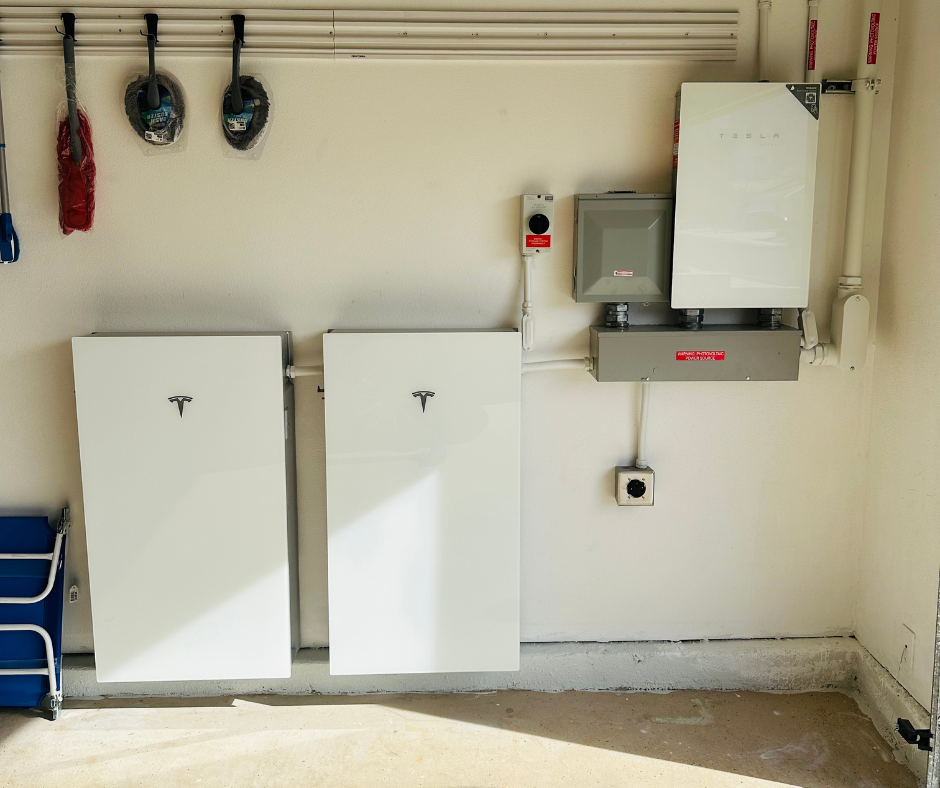
The Powerwall 3 has a load start capability of 185 locked rotor amps. This means it can power up large appliances like AC units, pool pumps, and refrigerators without breaking a sweat. For comparison, the Powerwall 2 has a much lower load start capacity, around 106 locked rotor amps, which often required additional batteries or soft-start kits to handle the same loads.
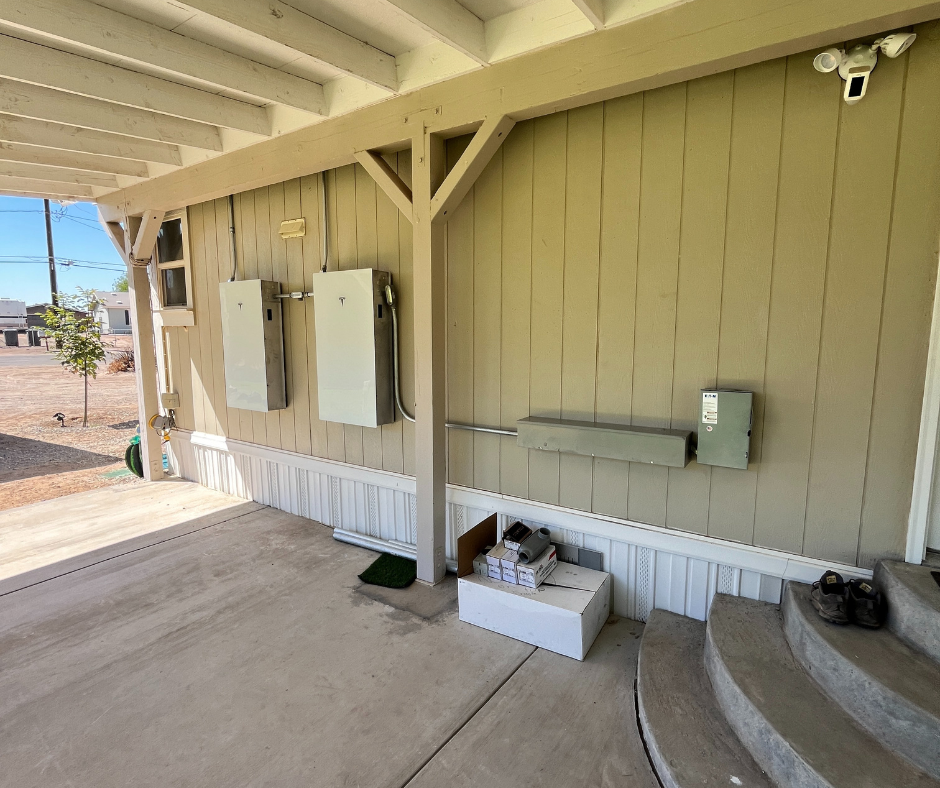
Add to that Tesla’s new Backup Switch, which allows whole home backup without the need to move appliances to a subpanel. It’s installed at the meter and senses outages instantly. This makes installation simpler and backup power more seamless. The Powerwall 2 required a separate Gateway and usually a dedicated critical loads panel to back up only part of the home.
Expandability and Whole Home Coverage
The Powerwall 3 is built for expansion. You can connect up to four units together, providing up to 54 kilowatt hours of energy storage and 46 kilowatts of output capacity. That’s more than enough to cover most homes with large HVAC systems, EV chargers, and all-electric appliances.
Compare that to the Powerwall 2, which maxes out at about 13.5 kilowatt hours per unit and needs to be combined with external inverters and additional hardware to scale effectively.
So if you’re looking for a system that can truly handle whole home backup and be easily expanded later on, Powerwall 3 is a better long-term play.
App Features and Tesla Ecosystem
Both Powerwall models are controlled through the Tesla app, which is widely regarded as one of the best in the industry.
The app gives you real-time monitoring of solar production, battery charge, home consumption, and grid use. It even alerts you during grid outages and lets you switch to backup reserve mode with a single tap. You can see your historical usage, how much power you exported to the grid, and how much was self-consumed.
This is especially helpful under NEM 3.0 or net billing, where timing your usage and maximizing self-consumption is critical to getting the most value from your system.
Cost Breakdown and Real Market Comparisons
So what does a Tesla Powerwall system cost? Here’s a rough breakdown based on local market averages in the Central Valley and Coachella Valley:
- One Powerwall 3 installed: around $16,500 to $18,000 depending on your panel, location, and project scope
- Add-on Powerwall unit (battery only): around $9,500 to $10,500
- Full solar and Powerwall 3 system: $45,000 to $60,000 before incentives
With the 30 percent federal tax credit, you’re looking at project costs between $31,500 and $42,000 on average.
Here’s a real case study from one of our Fresno customers:
Before solar: $575 average monthly electricity bill
System installed: 10 kilowatt solar system with two Tesla Powerwall 3 units
New monthly payment: $240 on a 25-year purchase plan
Savings: Over 50 percent immediately, with full home backup and protection against future rate hikes
For this homeowner, the total project cost came in around $50,000. After the tax credit, their net investment was around $35,000. Their return on investment is projected at just under seven years, and they’ve completely eliminated electric bill fluctuations.
Powerwall 2 Still Has a Place
While Powerwall 3 is the newer and more advanced model, the Powerwall 2 still has a place in some situations.
For homeowners who already have a solar system and just want to add backup, a Powerwall 2 with the Gateway 2 can be a solid, lower-cost option. It’s more affordable and simpler for retrofits.
But for new installs under NEM 3.0 or homeowners who need higher load start, better system control, and scalability, the Powerwall 3 is clearly the better fit.
The One Limitation: No Panel-Level Monitoring
The only real downside of the Powerwall 3 is that it does not provide panel-level optimization or monitoring. That means it’s not ideal for roofs with shading, dormers, or multiple roof angles.
If you have tree shading or want to monitor panel-level performance, a system using Enphase microinverters or SolarEdge optimizers may be a better fit. But if you have a good roof with full sun, the Powerwall 3’s built-in inverter and simple design make it a smart choice.
Final Thoughts: Why Powerwall 3 Changes the Game
The Tesla Powerwall 3 is the battery that finally brings everything under one roof — high capacity, strong load startup, flexible inverter, seamless whole home backup, and a great app experience.
It’s not the cheapest battery on the market, but it offers tremendous value when you factor in installation savings, efficiency, and long-term durability. If you’re in PG&E or SCE territory and facing 45 to 60 cent kilowatt hour rates, pairing solar with the Powerwall 3 is one of the smartest financial decisions you can make.
Add in the federal tax credit while it’s still available, and it becomes even more attractive.
Ready to See If Powerwall 3 Is Right for You?
If you’re a homeowner in Fresno, Clovis, or the Coachella Valley and you’re thinking about solar or battery backup, now is the time to explore your options. We’d be happy to walk you through how much you can save, how backup works, and what your project would look like.
Click the button below to request a free solar and battery proposal. We’ll customize it to your home, your goals, and your budget.